Agree what success looks like. Record the proof.
riccord is the proof-of-concept workspace where security vendors and their customers agree the use cases, record every result with evidence, and sign off the technical win.

Technical evaluations stall in the gaps
Success is never written down
Use cases and success criteria live in spreadsheets, decks and email threads. Each side remembers a different version.
Status costs meetings
Every update is a call or a chase. The POC drifts while people wait for answers, and the close date slips with it.
Failures disappear
When a test fails, the reason lives in one engineer's head. The same gaps come back in the next deal.
The result: longer POCs, slipping close dates and technical wins nobody can prove.
From first call to signed result in four steps
Agree
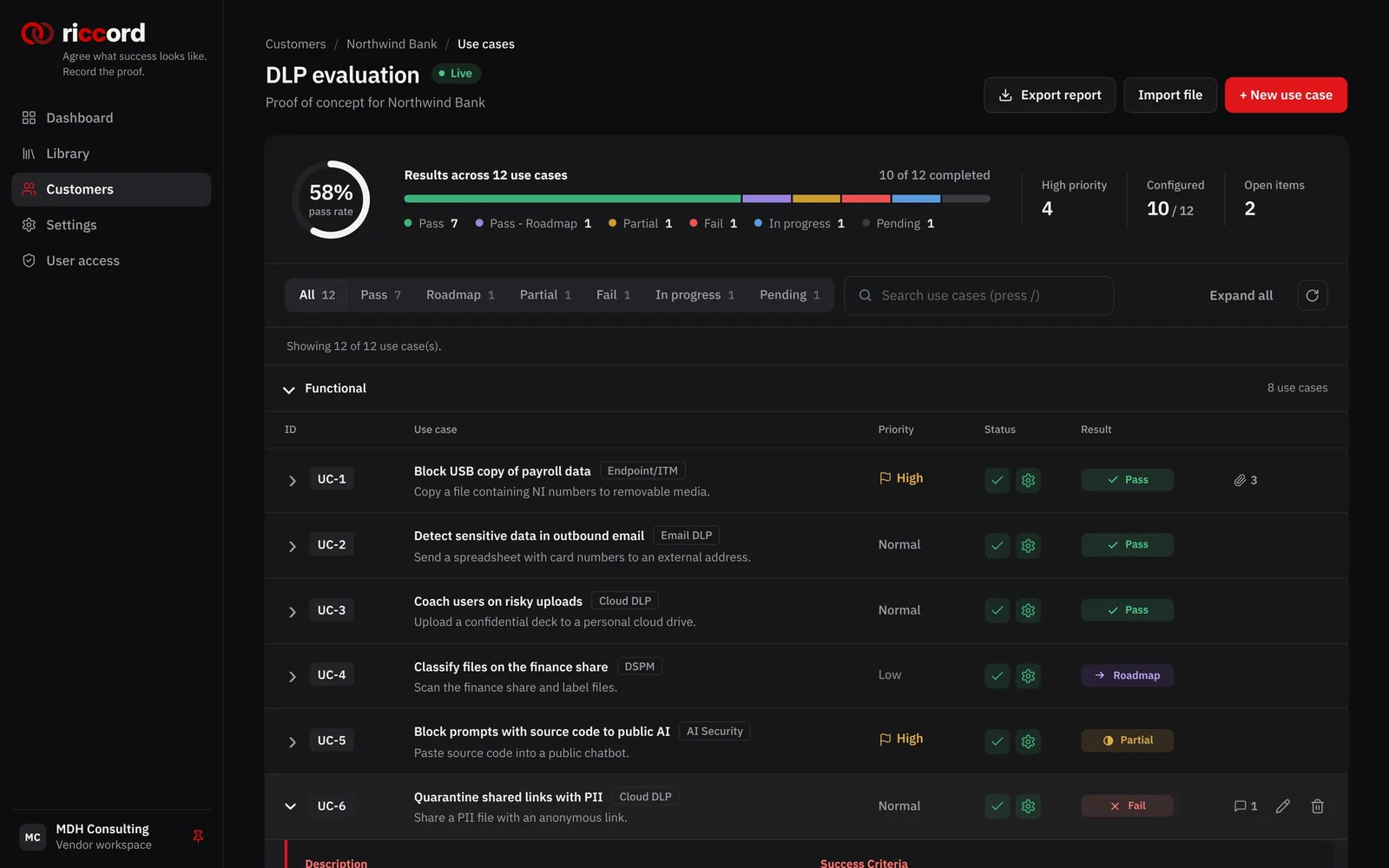
Pick use cases from your library or import a file. Agree the success criteria with the customer before testing starts.
Test
Record each result as it happens: pass, partial, fail, or pass on the roadmap.
Prove
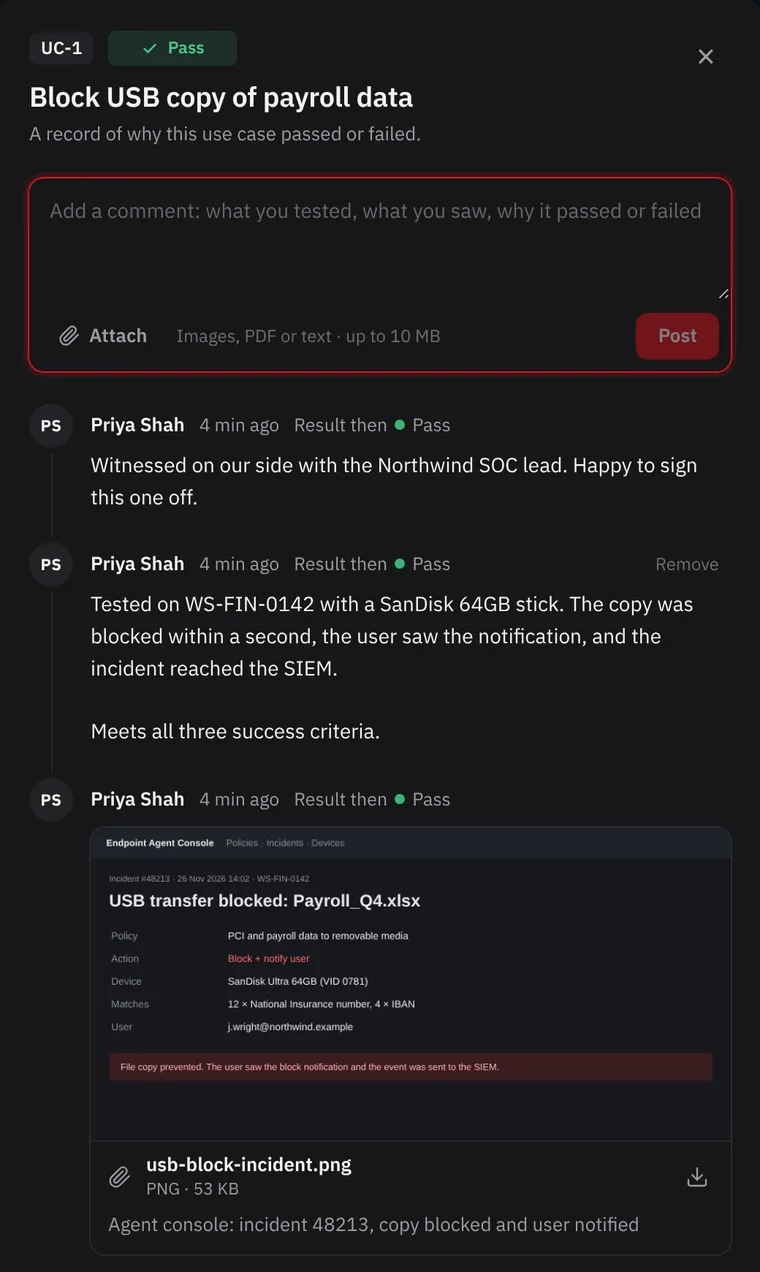
Attach screenshots, logs and PDFs, and say what you saw and why it passed or failed.
Sign off
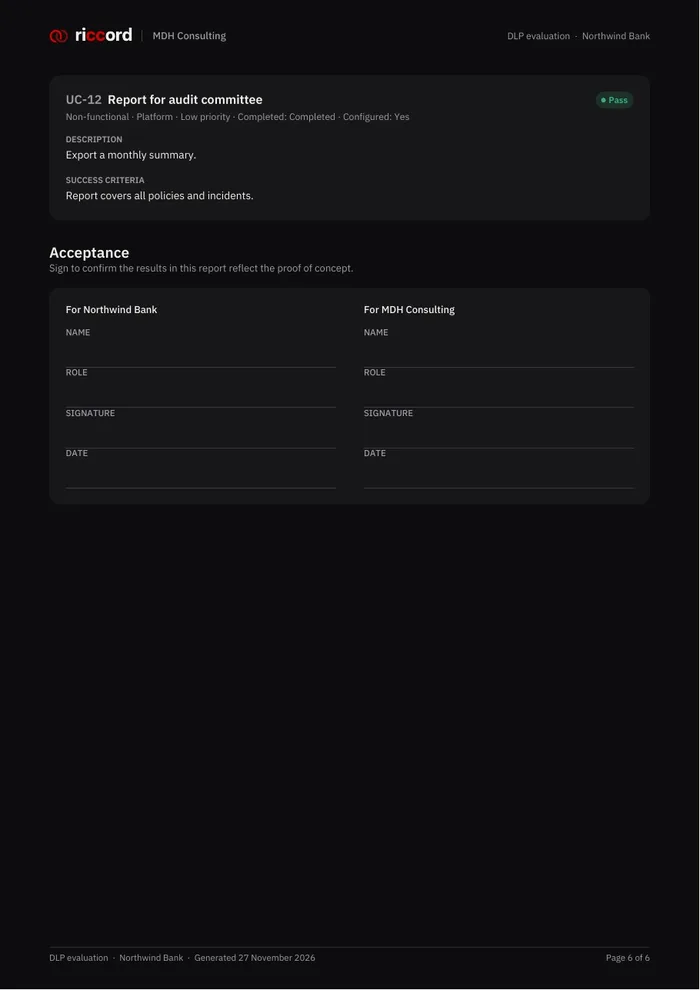
Export a PDF report with an acceptance page both sides sign.
Start the POC on day one, not week three
Start from proven use cases
Import tested use cases from your library or a CSV in minutes. Each POC gets its own copy to tailor.
One live view for both sides
Customers see and update their own use cases. No status decks, no chasing.
Spot drift early
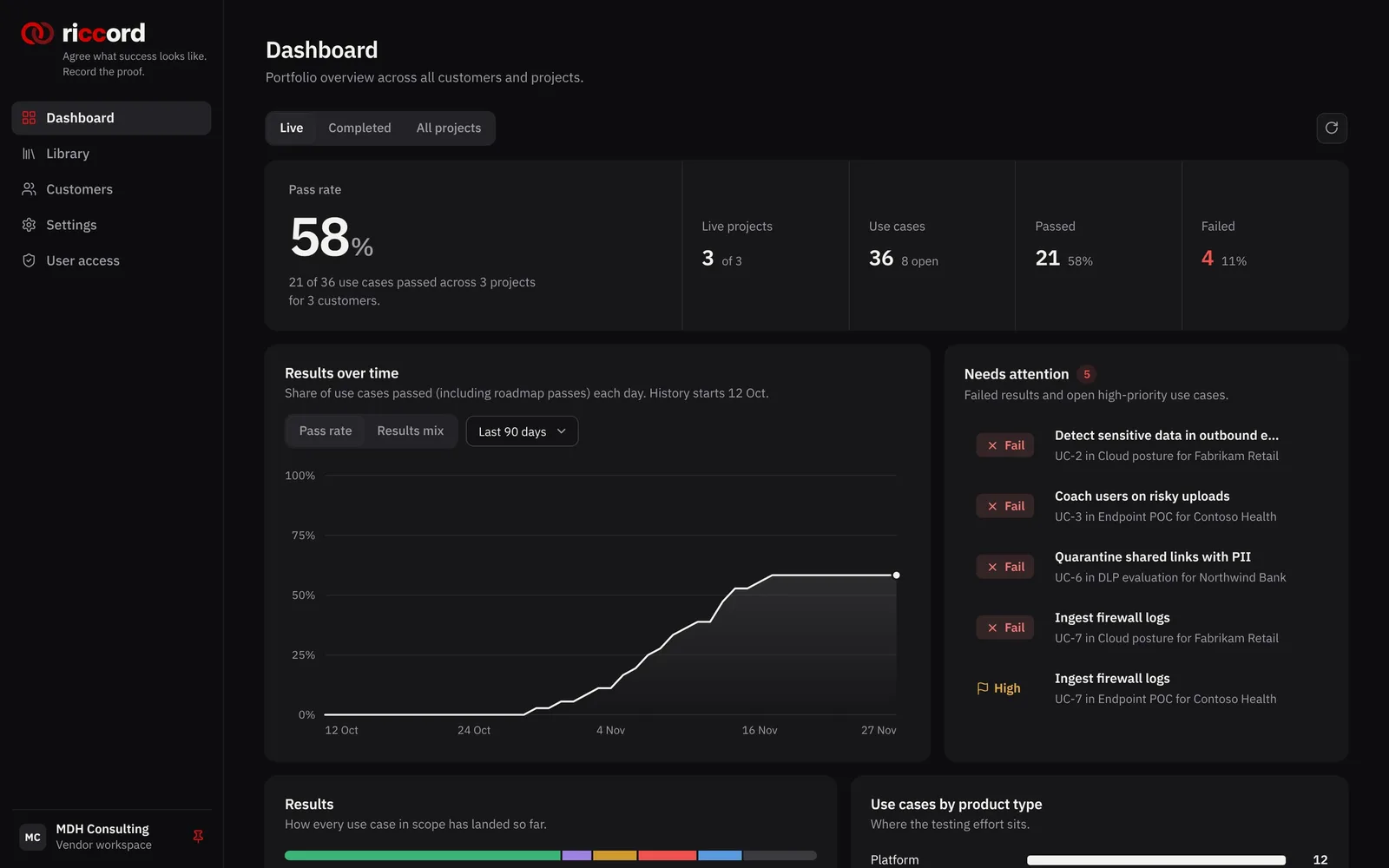
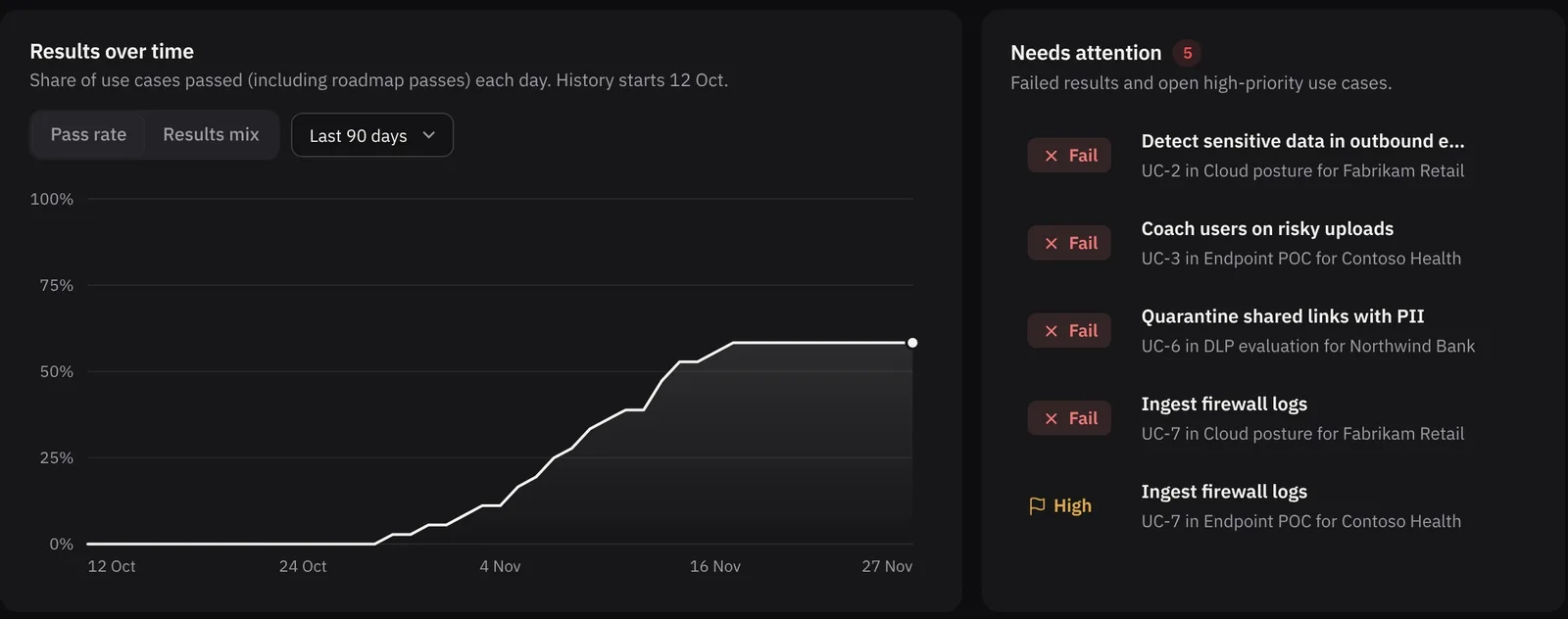
Needs attention lists every fail and open high-priority item across all live POCs.
Turn “looks good” into a signed result
The finish line is agreed
Success criteria are written down before testing starts, so a pass means the same thing to both sides.
Evidence as you test
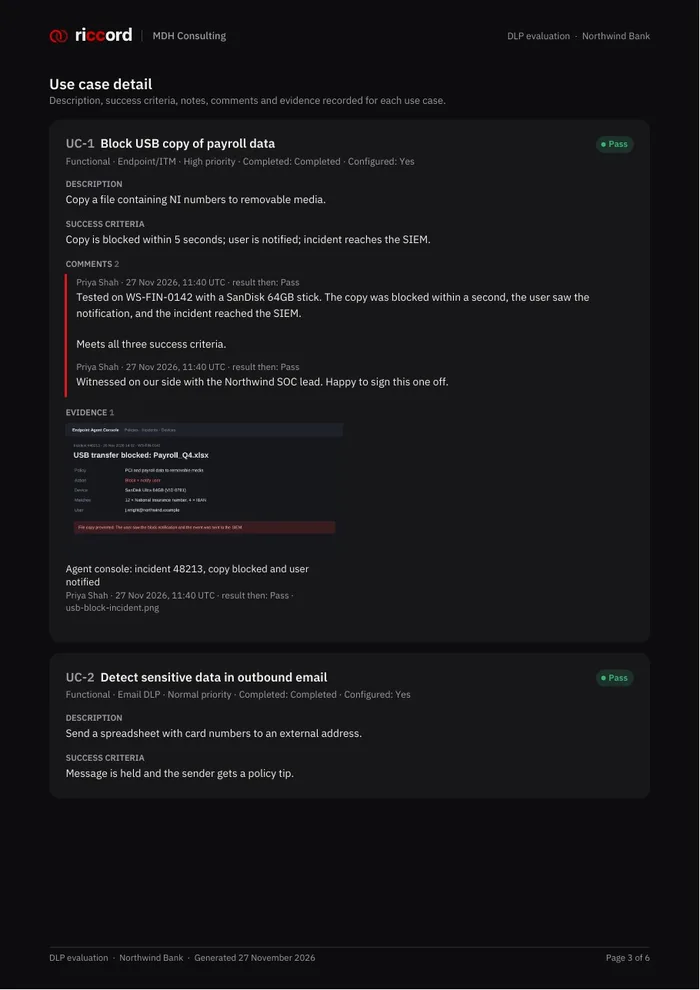
Screenshots, logs, PDFs and comments sit on the use case they prove, stamped with the result at that moment.
The customer is the witness
Customer users comment in the same thread, so their agreement is recorded, not remembered.
Sign-off in one click
Export a PDF or Excel report with every result, the evidence and an acceptance page to sign.
Every fail becomes a lesson, not a rumour
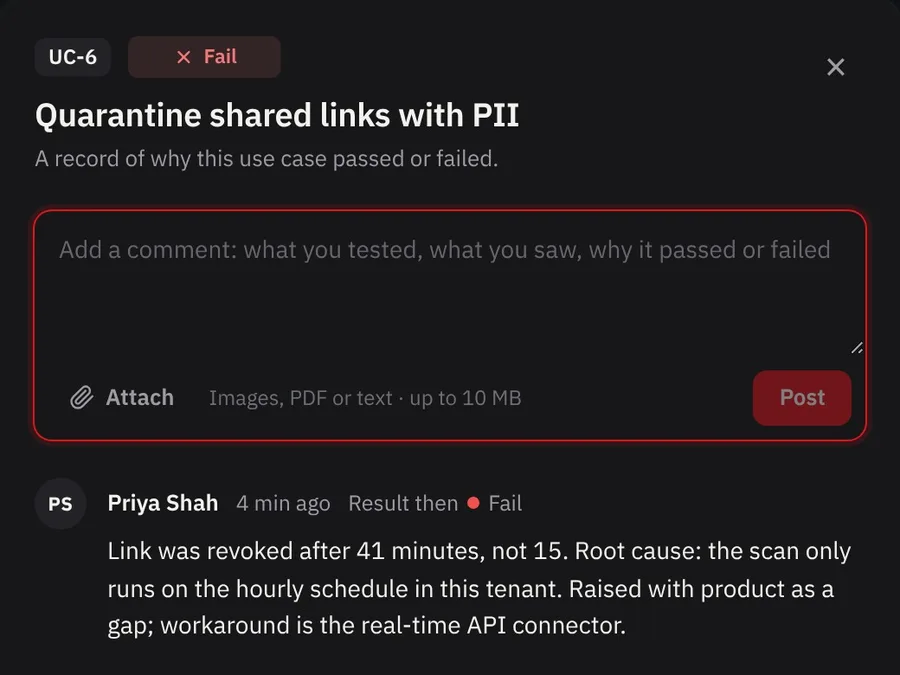
The reason, captured at the time
Every comment and file stores the result it was written against, so the story survives the deal.
Roadmap gaps tracked apart
“Pass - Roadmap” separates what the product does today from what it will do, ready for product teams.
Repeat gaps are visible
Fails from every live POC appear in one list, so you fix the process or the product before the next deal.
Every POC in your pipeline on one screen
Sales leaders see which deals are on track for a technical win, and which are not, without asking anyone for an update.
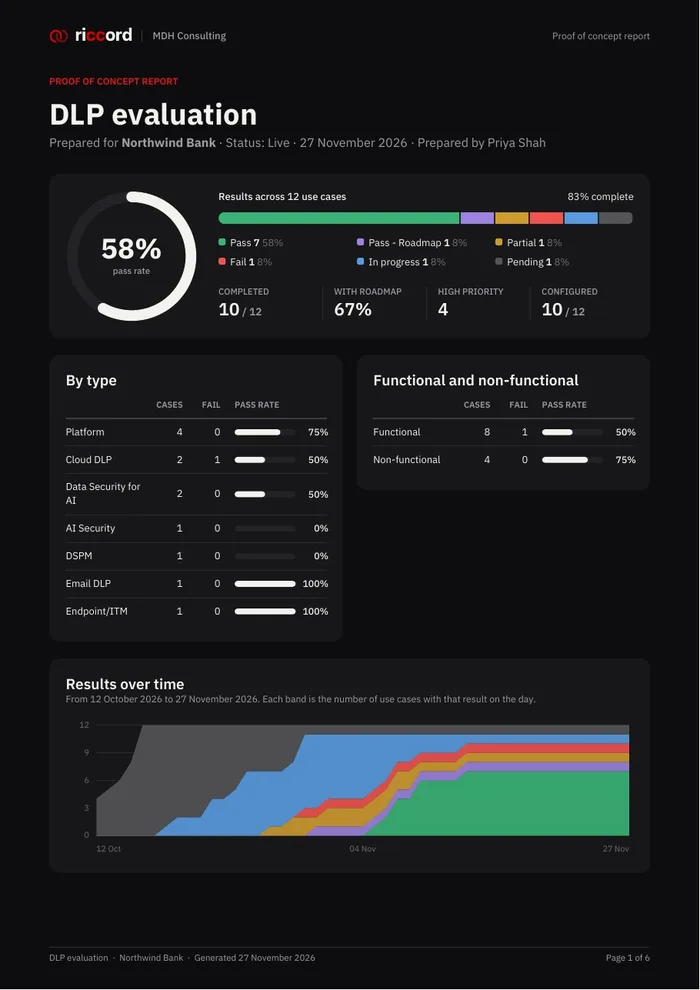
The proof, packaged in one click
Export a PDF or Excel report: the summary, every use case with its criteria, comments and evidence, and an acceptance page for both organisations to sign.
What changes for your team
| Area | Today | With riccord |
|---|---|---|
| Success criteria | A spreadsheet on version six | One agreed list per project |
| Status | Calls and email chases | Live for vendor and customer |
| Evidence | Screenshots in inboxes | Attached to the use case it proves |
| Failures | Forgotten after the deal | Recorded with the reason and the fix |
| Sign-off | A “looks good” email | A signed acceptance report |
Built for security buyers
Entra ID single sign-on
Staff and customers sign in with Microsoft Entra ID.
No access by default
A valid login grants nothing until a user is given a role.
Scoped customer access
Customer users see only the projects they are given.
Protected and audited
CSRF checks on every write and audit events on access.
Private evidence
Files are checked on upload and never served from a public path.
Invite-only customersComing soon
Customers join by Entra B2B invitation.
Next step
Run your next POC in riccord
- A 30-minute demo. See a live POC from use case library to signed report.
- Load your library. Import the use cases your team already runs, from CSV or JSON.
- Run one live POC. Share a project with one customer and measure the difference.